Reviewed in order: Keychron Q1 Max · NuPhy Halo75 V2 · Wooting 80HE · Razer BlackWidow V4 75% · Logitech G Pro X TKL Lightspeed · SteelSeries Apex Pro TKL Gen 3
Best Mechanical Keyboards in 2026: UX Review, Top Picks, and Buyer Fit Guide
A buyer-first mechanical keyboard review that separates typing-first favorites, gaming specialists, and wireless convenience picks by real ownership experience.
This UX-first review ranks six popular mechanical keyboards using hundreds of ownership signals, structured scoring, and buyer-fit guidance that goes beyond specs and hype.
00 · quick verdict
Keychron Q1 Max is the safest all-round recommendation for most buyers, NuPhy Halo75 V2 is the strongest typing-first style pick, and Wooting 80HE remains the clearest specialist choice for competitive gamers who actually want its feature set.
Current winner
Keychron Q1 Max
Best overall for buyers who want premium typing feel, strong customization, and fewer software headaches than most gaming-first alternatives.
MSRP
$199.99
Amazon
—
01 · best picks
The short list worth starting with.
#1 · Best overall
Keychron Q1 Max
MSRP
$199.99
Amazon
—
Best overall for buyers who want premium typing feel, strong customization, and fewer software headaches than most gaming-first alternatives.
#2 · Runner-up
NuPhy Halo75 V2
MSRP
$129.95
Amazon
—
Best typing-first style pick for buyers who want strong stock sound, attractive design, and a board that already feels finished.
#3 · Featured pick
Wooting 80HE
MSRP
$199.99
Amazon
—
Best competitive gaming specialist for buyers who will actually use deep actuation control, ultra-fast response, and browser-friendly tuning tools.
02 · Before You Buy
Mechanical keyboards are one of those categories where spec-sheet confidence can get you into trouble fast. A board can look incredible on paper, promise premium switches, hot-swap support, rapid trigger features, tri-mode wireless, or enthusiast tuning, then still annoy you in everyday use because the software is clumsy, the layout feels awkward, the stabilizers rattle, or the price only makes sense for a very specific kind of buyer.
That is why this category is less about finding one universally perfect keyboard and more about avoiding a mismatch. Some buyers want a keyboard that makes everyday typing feel better immediately. Some care almost entirely about gaming speed, low latency, and deep actuation control. Others want a reliable wireless board that travels well, plays nicely with multiple devices, and does not turn setup into a side hobby. Those are different jobs, and the best keyboard for one of them can feel overpriced or overcomplicated for another.
The bigger point is that ownership experience matters more than feature count. A keyboard is a product you touch all day. You notice the sound, the feel, the software, the battery behavior, the quirks in the layout, and the way the board ages from exciting purchase to normal desk equipment. Good boards keep adding satisfaction after the honeymoon period. Bad fits keep reminding you that you bought the wrong personality, not just the wrong hardware. This review is built to help you spot that difference before you spend the money.
03 · score comparison
Compare the grades before you chase details.
| Grade | #1Keychron Q1 Max | #2NuPhy Halo75 V2 | #3Wooting 80HE | #4Razer BlackWidow V4 75% | #5Logitech G Pro X TKL Lightspeed | #6SteelSeries Apex Pro TKL Gen 3 |
|---|---|---|---|---|---|---|
| Overall UX | 8/10 | 7/10 | 7/10 | 7/10 | 7/10 | 6/10 |
| Typing and sound quality | 9/10 | 9/10 | 7/10 | 8/10 | 7/10 | 7/10 |
| Build and component quality | 8/10 | 8/10 | 7/10 | 8/10 | 7/10 | 7/10 |
| Software and customization experience | 8/10 | 6/10 | 9/10 | 7/10 | 6/10 | 6/10 |
| Wireless and daily convenience | 8/10 | 7/10 | 5/10 | 5/10 | 9/10 | 6/10 |
| Support reliability | 6/10 | 5/10 | 6/10 | 5/10 | 6/10 | 5/10 |
| MSRP | $199.99 | $129.95 | $199.99 | $189.99 | $199.99 | $219.99 |
05 · product-by-product breakdown
Why each pick landed where it did.
#1 · Best overall · Keychron
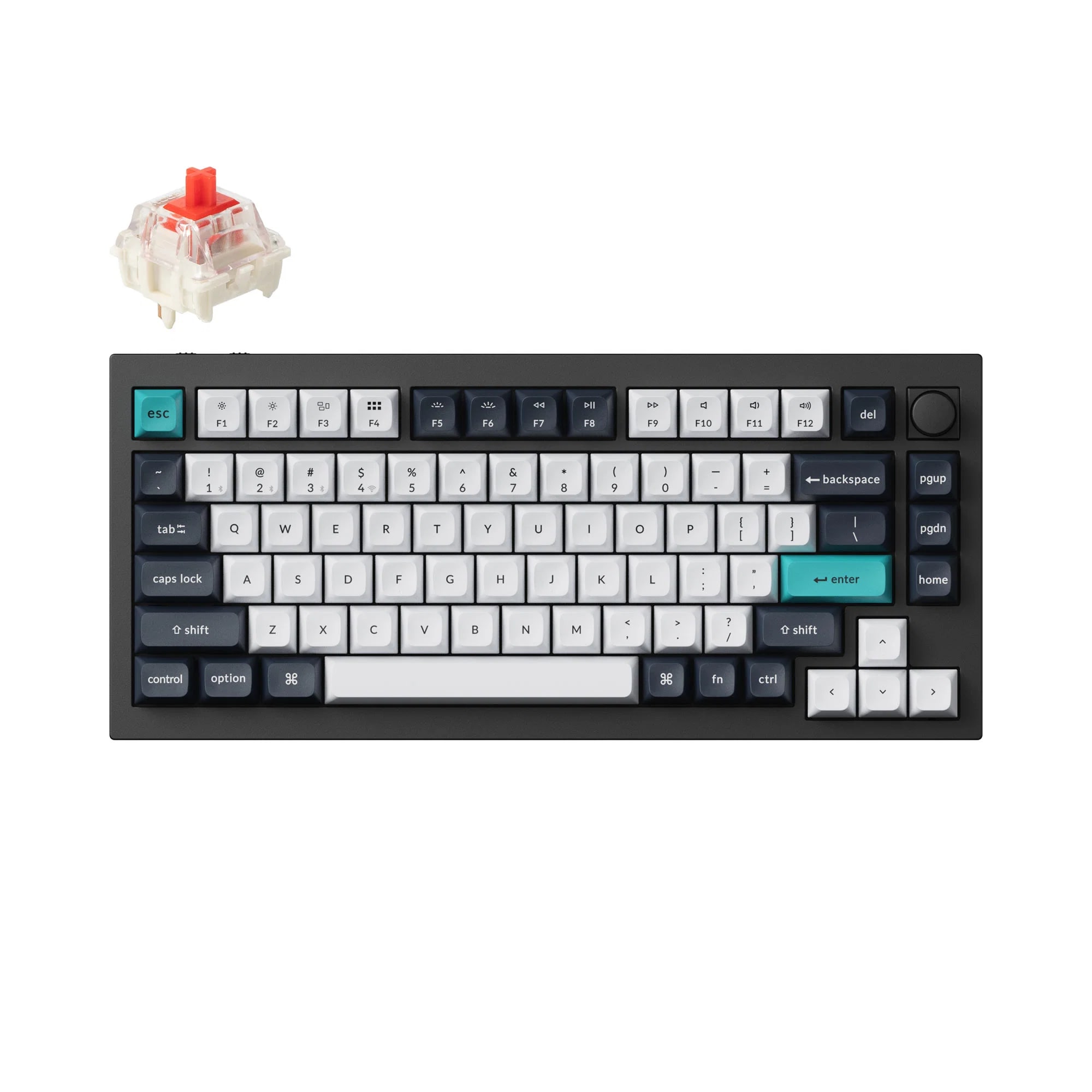
Keychron Q1 Max
MSRP
$199.99
Amazon
—
Keychron has become one of the most important brands in this category by offering boards that feel enthusiast-informed without demanding full enthusiast patience. The Q1 Max is the clearest example of that approach in this group. It presents as a substantial, premium 75 percent board with wireless support, hot-swap flexibility, and a configuration path that feels refreshingly lighter than the usual gaming-software maze. In daily use, it reads like a keyboard for someone who wants their desk setup to feel meaningfully better, not just more expensive. The appeal is that it does a lot of things well at once. It feels serious, sounds refined, and gives buyers room to customize without immediately pushing them into a DIY rabbit hole. That broad competence is what makes it the safest default recommendation here.
liked
The strongest praise is about how satisfying the board feels once it is on the desk. Repeated positives center on premium build quality, comfortable typing, strong stock acoustics, and the sense that the Q1 Max feels like a real upgrade rather than a flashy gimmick. Buyers also benefit from flexible customization, hot-swap support, and Keychron Launcher, which helps the software experience feel more approachable than heavier gaming suites. Wireless support matters too, because it lets the board stay versatile without losing its enthusiast-leaning identity. The overall pattern is easy to trust: people like this keyboard because it feels substantial, polished, and enjoyable in normal day-to-day use, not because one marketing bullet point carries the whole story.
complaints
The negative theme is not that the Q1 Max is bad. It is that it is not a frictionless value win. Price comes up often enough to matter, especially when buyers compare it against cheaper boards that can feel surprisingly close for less money. There are also recurring complaints around stabilizers, plus smaller but real layout and angle quirks that some owners notice more than others. In other words, the premium story is mostly real, but it is not immune to premium expectations. Once a keyboard enters this price tier, buyers become less tolerant of rattly parts, design compromises, or features they did not actually need. The Q1 Max survives that scrutiny better than most, but it does not completely escape it.
best for
Buyers who want one premium keyboard that covers typing, customization, and everyday desk satisfaction unusually well. It is especially strong for enthusiasts-in-training who want substance without full hobbyist chaos.
skip if
Shoppers chasing the absolute best bargain, or buyers who mainly want a pure gaming specialist with little interest in typing feel, acoustics, or enthusiast-style tuning flexibility.
Biggest issue
The biggest caution is expectation management. The Q1 Max asks for real money, so every small flaw feels larger. Stabilizer complaints are the clearest repeated issue, and there is also some pushback around limited typing-angle flexibility and layout quirks depending on buyer preference. None of that turns it into a bad product, but it does keep it from feeling effortlessly perfect. It is also the kind of board that gets cross-shopped against cheaper options, which means value skepticism follows it more than the raw experience alone would suggest.
This is the best overall pick because it gets the fundamentals right in a way that holds up across different buyer types. It feels premium, types well, sounds good, and offers real customization without dragging owners through unnecessary software pain. The tradeoff is simple: it is a confident recommendation, not a cheap one. If you want one keyboard that most buyers are likely to keep liking after the first few weeks, the Q1 Max has the strongest case in the field.
#2 · Runner-up · NuPhy
NuPhy Halo75 V2
MSRP
$129.95
Amazon
—
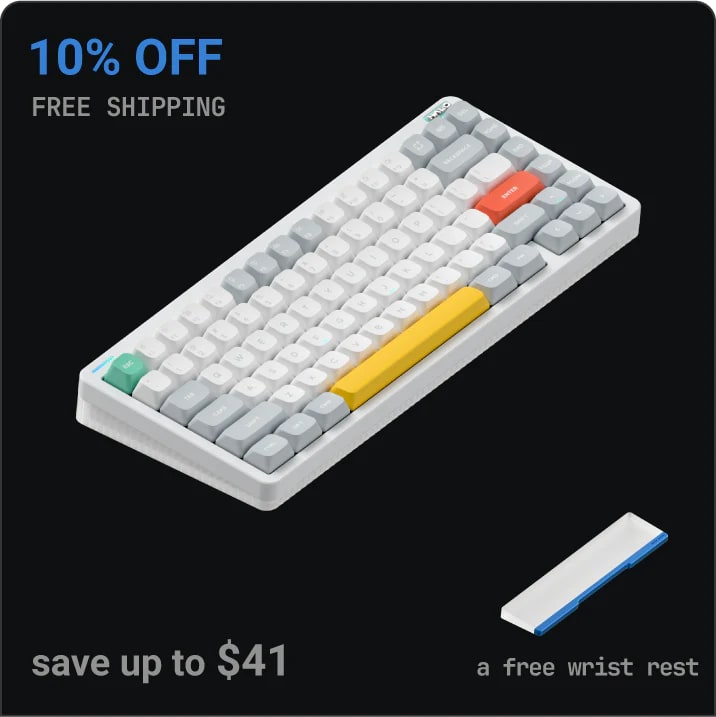
NuPhy has built a strong identity around keyboards that feel more curated and style-conscious than typical gaming boards, and the Halo75 V2 is the cleanest expression of that in this comparison. It is the board here that most clearly targets buyers who care about desk presence, stock sound, and everyday typing enjoyment in equal measure. The appeal is immediate. It looks polished, feels refined, and gives off the sense that it was meant to be enjoyed as a complete product rather than as a parts platform waiting for mods. That matters because many buyers want the enthusiast-adjacent payoff without turning keyboard ownership into a second hobby. The Halo75 V2 gets very close to that promise. It feels like a keyboard chosen on purpose, not just one chosen by filter settings.
liked
Praise for the Halo75 V2 is remarkably consistent around stock experience. Buyers repeatedly like the sound, the feel, the layout execution, and the overall impression that the board arrives already satisfying. It also gets credit for attractive design and strong desk appeal, which can sound superficial until you remember this is a product people use and look at all day. The physical experience is where NuPhy wins people over. Strong typing feel, refined acoustics, good compact layout choices, and an out-of-box personality that feels complete all show up again and again. It is one of the easiest boards here to recommend to someone who wants to enjoy the keyboard immediately instead of mentally budgeting for future fixes.
complaints
Most of the friction sits on the software and firmware side. Software maturity concerns, installation bugs, key-remap weirdness, and general nervousness around firmware handling show up often enough to blunt what would otherwise be a much cleaner recommendation. There are also occasional wireless complaints and recurring concern around double-stroke issues. That creates a frustrating split story: the part you touch and hear is often excellent, while the part you depend on for confidence and maintenance feels less settled. For buyers who just want a pretty, satisfying keyboard and never plan to tinker much, that risk may stay manageable. For buyers who worry about long-term stability, it becomes harder to ignore.
best for
People who care most about typing enjoyment, stock sound, and a polished desk aesthetic. It is a strong match for buyers who want enthusiast flavor without diving fully into mod culture.
skip if
Buyers who are especially sensitive to firmware risk, remapping bugs, or wireless uncertainty. It is also not the clearest pick for people who want maximum gaming specialization.
Biggest issue
The Halo75 V2's biggest issue is not feel, value, or visual appeal. It is confidence. Software maturity concerns, installation and remap bugs, wireless complaints, and double-stroke chatter create the kind of lingering doubt that can spoil an otherwise excellent ownership story. Firmware caution matters too because a keyboard that feels great can still become stressful if owners do not fully trust the update path. Those issues do not erase its strengths, but they do make it a board that needs the right buyer mindset, not just general enthusiasm.
If you are shopping with your fingers and ears first, the Halo75 V2 is one of the most appealing options in this whole set. It has a strong out-of-box personality and a typing-first charm that many mainstream gaming boards never achieve. The reason it sits behind Keychron is simple: the physical experience feels safer than the software story. If that tradeoff does not scare you, this is a very compelling pick.
#3 · Featured pick · Wooting
Wooting 80HE
MSRP
$199.99
Amazon
—
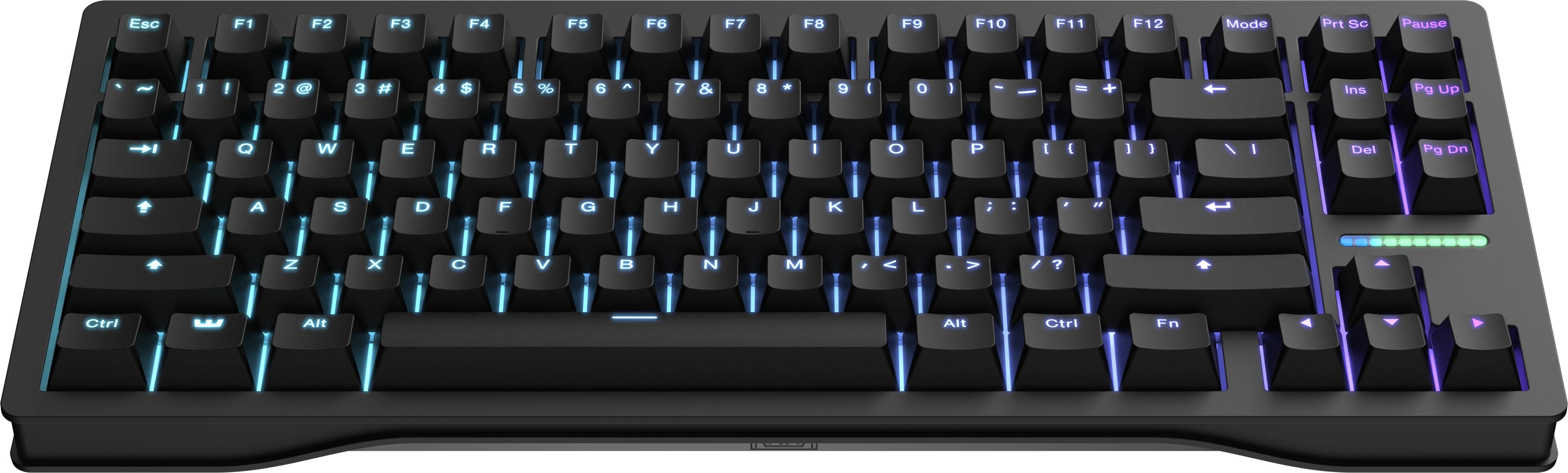
Wooting has earned a reputation for building keyboards that feel engineered for people who take input behavior seriously, and the 80HE is the clearest specialist product in this review. It is not trying to win by being the most charming typing board or the best bargain for casual buyers. It wins by giving performance-focused users unusually deep control over how the keyboard behaves, then delivering that control through a lighter, more modern tooling experience than many gaming brands manage. That combination matters. A lot of gaming keyboards brag about customization while making the software miserable. Wooting's appeal is that the tuning actually feels usable. The 80HE therefore makes the most sense as a purpose-driven purchase. If you are buying for competitive play first, its personality is easy to understand. If not, it can feel more like a brilliant answer to a question you never asked.
liked
The positive story is strong and focused. Repeated praise centers on elite latency, deep customization, rapid and granular control, and a browser-friendly tool path that feels notably cleaner than bloated gaming suites. Buyers who care about rapid trigger, input speed, or fine-tuning key behavior consistently see the 80HE as a board that genuinely delivers on its promises. It also gets credit for feeling like a real specialist rather than a brand slapping buzzwords onto a generic chassis. Even outside the headline features, the board benefits from a sense of intentionality. Owners and reviewers repeatedly frame it as one of the clearest answers for serious gaming performance, and that clarity is a meaningful UX advantage because it reduces buyer confusion.
complaints
The downside is that its strengths narrow the audience quickly. Price is a recurring complaint, especially from people who do not need its most advanced gaming features. Layout quirks show up in owner discussion, and some coverage also raises concerns around chassis flex or a stiffer-than-expected mount feel. That means the 80HE can look amazing in the lane it was built for, while feeling less convincing as an everyday keyboard for mixed use. It is also easier than some rivals to call overkill. That does not make it bad. It just means the value case gets much thinner once the buyer is no longer performance-obsessed.
best for
Competitive gamers, tuning nerds, and buyers who care deeply about actuation control, low latency, and software that feels lighter than the usual gaming-brand mess.
skip if
General buyers who mostly type, want a warmer stock feel, or do not expect to use the advanced gaming features often enough to justify the cost and specialization.
Biggest issue
Its biggest issue is mismatch risk. The 80HE is easy to admire, but much harder to justify for casual use. Price-value complaints are common, and physical concerns around layout, chassis flex, or stiff mount feel complicate the premium story. There is also the broader reality that some of its standout features only matter to buyers with a very specific performance mindset. If that is not you, the board can start to feel like expensive technical overkill rather than a satisfying everyday choice.
For the right buyer, this is the clearest gaming recommendation in the field. The performance, tuning depth, and software sanity are real differentiators, not empty claims. The reason it ranks behind Keychron and NuPhy overall is not that it fails. It is that it is narrower. If gaming performance is the mission, buy it confidently. If you want the best keyboard for normal life plus occasional games, there are safer fits.
#4 · Ranked #4 · Razer
Razer BlackWidow V4 75%
MSRP
$189.99
Amazon
—
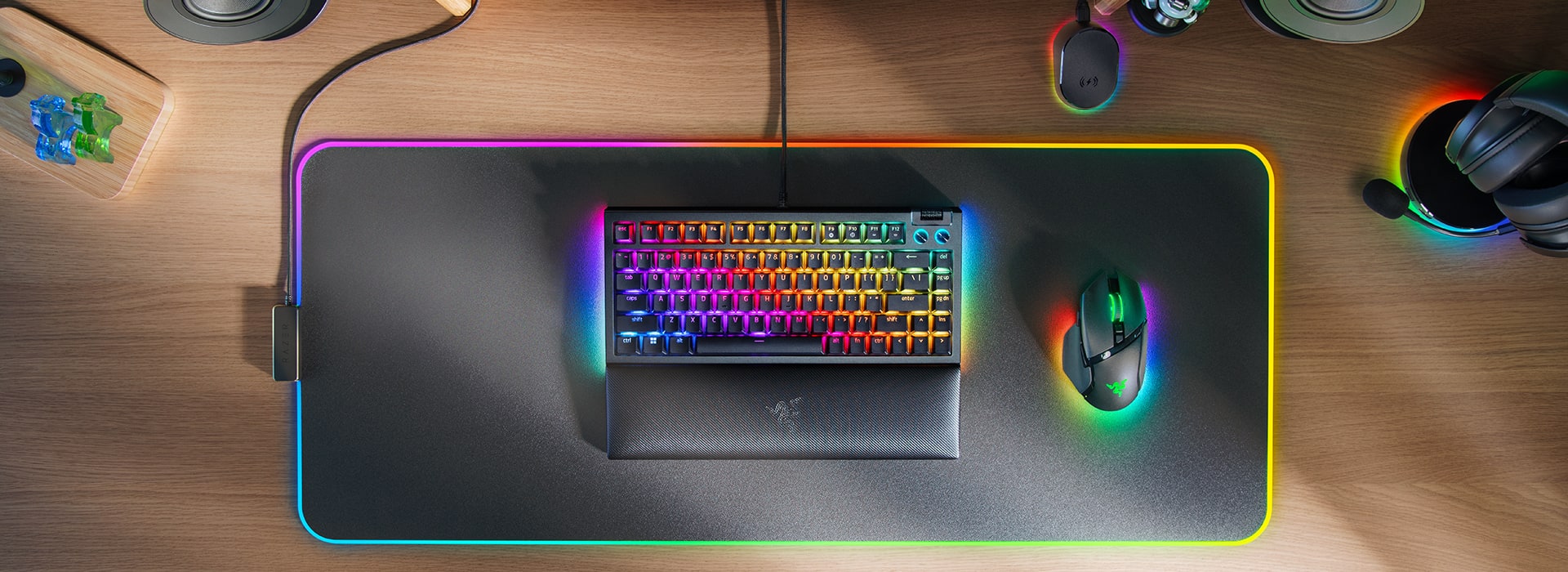
Razer has spent years making gaming keyboards that were easy to recognize but not always easy to love outside the gaming lane. The BlackWidow V4 75% is more interesting because it tries to bridge that old gap. It still belongs to a mainstream gaming ecosystem, but it clearly wants to feel more enthusiast-aware in sound, feel, and customization. That makes it one of the easiest boards here to imagine as a single-keyboard solution for someone who games seriously but also wants their keyboard to feel satisfying during normal work. The compact 75 percent layout, feature density, and stronger acoustic story all support that pitch. In short, this is Razer trying to prove it can make a keyboard people enjoy after the LEDs stop being the main event.
liked
The praise is broad and practical. Buyers repeatedly like the balance between typing and gaming, the stronger-than-expected stock sound and feel, and the fact that the board feels closer to enthusiast taste than older mainstream gamer boards usually did. Low latency and solid gaming performance are still part of the package, but they are not carrying the whole recommendation alone. The compact feature-rich layout also helps, because it gives the keyboard a more complete everyday identity than some stripped-down gaming-first designs. For a lot of buyers, the win is that this board can feel fun in both directions. It can game hard, but it can also feel good during ordinary desk time.
complaints
The main negative theme is that some classic mainstream-brand compromises are still visible. Switch-reliability concerns show up often enough to matter, and there is also criticism around ABS keycaps and missing niceties some buyers expect once a board starts leaning enthusiast. That creates a familiar tension. Razer gets credit for aiming higher, but buyers paying premium money still notice where the company stops short of full enthusiast execution. The software path is also less of a positive differentiator than Wooting's or Keychron's. So while the board is good, it does not fully escape the gravity of being a gaming-brand product trying to be taken seriously by a fussier crowd.
best for
Gamers who want one board that still feels enjoyable for typing, and buyers who like the idea of enthusiast-adjacent sound and feel without leaving a mainstream ecosystem entirely.
skip if
People who are especially cautious about switch reliability, or enthusiasts who expect every material and component choice to fully match the premium price story.
Biggest issue
Reliability caution is the biggest issue because it limits trust. Switch concerns matter more than small feature omissions, since they directly affect whether the keyboard feels safe to buy long term. ABS keycap criticism and a few missing enthusiast niceties add to the impression that the board is impressive but not fully bulletproof. None of this collapses the recommendation, but it does cap the ceiling. The BlackWidow V4 75% feels strong, not untouchable.
This is the best bridge pick for buyers who want a gaming board that does not feel dead the moment the match ends. Razer genuinely improved the ownership story here, especially around sound-and-feel balance. The reason it sits below the top three is not lack of appeal. It is that the lingering reliability and premium-compromise concerns make it harder to recommend as confidently as the best specialist or best all-round picks.
#5 · Ranked #5 · Logitech
Logitech G Pro X TKL Lightspeed
MSRP
$199.99
Amazon
—
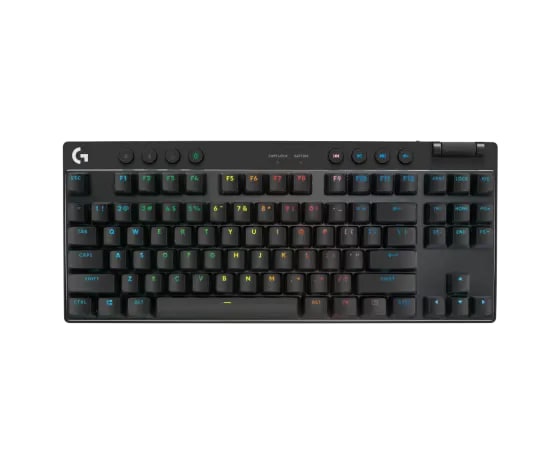
Logitech's G Pro X TKL Lightspeed makes the most sense when you understand it as a clean tool for competitive use rather than a keyboard built to charm the enthusiast crowd. Its identity is straightforward: low-latency wireless performance, compact TKL practicality, and a setup story aimed at buyers who want something reliable and portable more than they want a hobby object. That focus is why the keyboard reads coherently even when it is not especially exciting. Logitech is good at packaging a mainstream performance product so it feels polished, travel-friendly, and ready to drop into a serious gaming routine. The tradeoff is that the board's personality can feel more utilitarian than lovable. It wins by staying tidy and competent, not by becoming the keyboard people gush about for sound or character.
liked
The positive story is clear and consistent around wireless execution. Buyers repeatedly praise low-latency performance, flexible connectivity, and dependable day-to-day competitive use when the setup is right. The TKL layout also supports the product's travel-and-tournament identity well, and overall build and bundle quality help reinforce the impression that this is a serious mainstream esports tool. People who care about portability, clean connection options, and practical gaming reliability have an easy time understanding the product. It does not ask the buyer to be an enthusiast. It simply tries to remove cable hassle while keeping performance sharp, and that straightforward promise lands well with the right audience.
complaints
Where the keyboard loses momentum is in excitement and value. Price pushback is common, especially when buyers compare it against enthusiast alternatives that offer more personality, more flexibility, or both. No hot-swap support hurts its appeal outside the esports lane, and some reports of stabilizer noise chip away at the premium feel. There is also some software dependence and occasional dongle-placement caveat baggage, which means the convenience story is good, not perfectly frictionless. Overall, the negative pattern is less about failure and more about limited emotional payoff. People can respect this keyboard without necessarily feeling delighted by it.
best for
Wireless-first competitive gamers, travelers, and buyers who want a tidy TKL board that prioritizes low-latency convenience over enthusiast experimentation.
skip if
Buyers seeking hot-swap flexibility, stronger stock acoustics, or a keyboard with more personality and value appeal outside the narrow esports use case.
Biggest issue
The biggest issue is that its strengths are practical rather than magnetic. Price pressure, no hot-swap support, some stabilizer noise, and software dependence make it easier to describe as competent than exciting. There are also smaller wireless caveats around dongle placement that remind buyers this is still a performance tool, not magic. None of those issues are fatal on their own, but together they explain why the board feels easier to respect than to love.
If what you want is a clean wireless esports keyboard that feels coherent from setup to daily use, Logitech has a strong case. The board does its job well, and its daily convenience score reflects that. The reason it ranks below the stronger personality picks is that it does not give broader buyers enough extra joy or flexibility to offset the price. It is smart, practical, and a bit emotionally flat, which is exactly right for some people and not enough for others.
#6 · Ranked #6 · SteelSeries
SteelSeries Apex Pro TKL Gen 3
MSRP
$219.99
Amazon
—
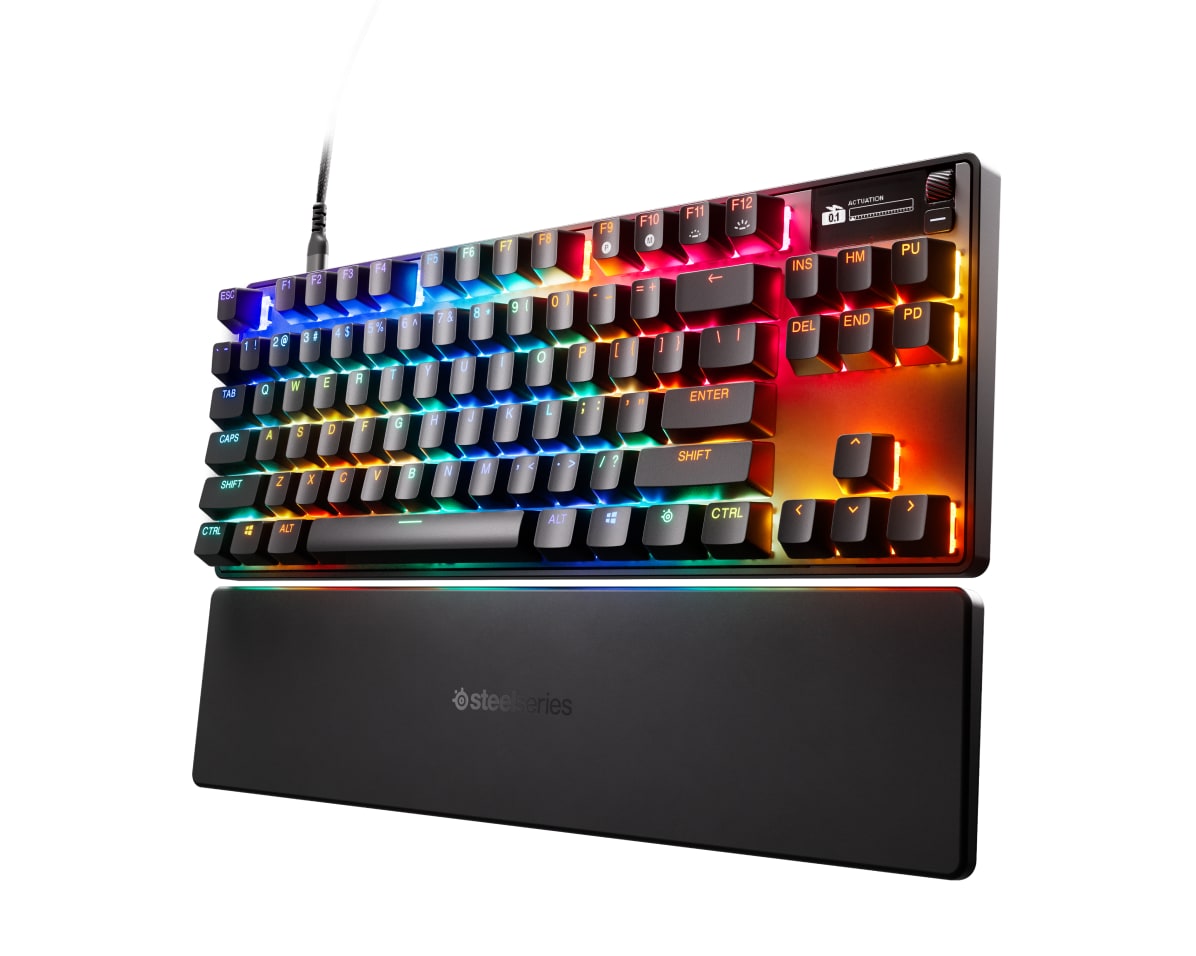
SteelSeries is one of the most recognizable names in gaming peripherals, and the Apex Pro TKL Gen 3 arrives with the kind of feature density that sounds very convincing in a product listing. On the surface, that pitch works. The keyboard offers a strong gaming feature set, robust hardware ambition, and enough customization to catch the eye of buyers who want a modern hall-effect board from a familiar brand. The problem is that ownership experience does not feel as clean as the feature sheet. Compared with the best picks in this review, the Apex Pro TKL Gen 3 comes across as a keyboard with real strengths but too much drag attached to them. It can impress you and still leave you slightly tired. That is not the ideal emotion at this price level.
liked
To be fair, the positives are real. Buyers and reviewers repeatedly note a strong gaming feature set, robust build quality, and improved acoustics compared with older Apex expectations. Useful customization and generally good typing performance also help it avoid feeling like a one-trick performance slab. For some buyers already comfortable inside the SteelSeries ecosystem, those strengths will matter a lot. The board can look capable, modern, and serious, and it does enough things well that the recommendation is not absurd. There is a reason it keeps showing up in premium gaming conversations. On raw capability, it belongs in the room.
complaints
The issue is how often praise arrives with a sigh attached. Price pushback is common, software dependence is a repeated complaint, and owner discussion keeps surfacing wireless or setup friction that makes the board feel less polished than it should. Some smaller quality complaints add to the sense that buyers are paying a lot for an experience that can still feel messy around the edges. The bloated-app criticism matters especially because this category already has better software stories. When a premium keyboard asks for software tolerance, it needs to repay that debt with unusually strong ownership upside. Here, the upside is real, but not convincing enough.
best for
Buyers who specifically want a feature-rich mainstream gaming board and are already comfortable with SteelSeries' ecosystem, priorities, and software tradeoffs.
skip if
Shoppers who want a clean premium recommendation, strong value confidence, or a keyboard that feels easy to justify outside the feature-heavy gaming lane.
Biggest issue
The biggest issue is cumulative friction. None of the common complaints, price pressure, software baggage, setup annoyance, or smaller quality concerns, fully destroy the board on their own. Together, though, they make it hard to call this an easy buy. That matters because the keyboard lives in a premium bracket where buyers expect competence to feel smooth, not argumentative. The Apex Pro TKL Gen 3 keeps asking buyers to overlook things when the stronger competitors here ask for less forgiveness.
This is a capable keyboard with legitimate strengths, but it is the least clean recommendation in the set. If you already know you want the SteelSeries style of gaming board, there is enough here to understand the appeal. For most buyers, though, the combination of price, software dependence, and ownership friction makes it harder to justify than the boards ranked above it. It is not a disaster. It is just the easiest premium option here to second-guess after purchase.
05 · How This Review Works
This is a UX review, not a traditional spec dump. Instead of treating keyboards like a checklist of polling rates, switch types, and RGB tricks, we look at what ownership actually feels like once the board is on a real desk. That means paying attention to recurring patterns around typing feel, stock sound, software friction, wireless behavior, value pressure, and the kinds of problems that keep showing up after purchase.
The scoring package for this review uses six buyer-relevant metrics: typing and sound quality, build and component quality, software and customization experience, wireless and daily convenience, value, and support reliability. Scores are fixed by the provided grading package and shown as integer values only. The goal is not to pretend the numbers are magic. The goal is to make tradeoffs visible fast.
The evidence base here is broad enough to surface repeated themes instead of chasing one dramatic opinion. Editorial reviews, owner discussions, official software context, and product-specific research exports were synthesized to separate recurring praise from recurring friction. We also stay honest about confidence. Feel, software, and value patterns are stronger than long-term support evidence in this cluster, so when a recommendation is conditional, we say that plainly instead of smoothing it over with marketing language.
06 · Best Fit for You
If you want the safest broad recommendation, start with Keychron Q1 Max. It is the board here that most consistently reads like a satisfying long-term desk companion instead of a narrowly optimized specialist tool. It is especially strong for buyers who want premium feel, good stock acoustics, and flexible customization without living inside a bloated gaming app.
If your real priority is typing pleasure and desk appeal, NuPhy Halo75 V2 is the clearest style-and-feel pick. It has the strongest typing-first personality in the group, and it makes the most sense for buyers who want a board that already feels refined out of the box. Just go in knowing that software maturity and firmware confidence are not as reassuring as the physical experience.
If you are buying for competitive gaming first, Wooting 80HE is the specialist answer. It earns that lane with deep control, elite responsiveness, and a lighter browser-friendly tool path than many gaming rivals. But it is not the best default keyboard for people who mostly type, browse, and occasionally play games.
If you want a mainstream gaming board that still feels more enthusiast-aware, Razer BlackWidow V4 75% is the strongest bridge product. If wireless esports convenience matters more than enthusiast romance, Logitech G Pro X TKL Lightspeed is the cleaner fit. SteelSeries Apex Pro TKL Gen 3 still has real strengths, but it carries enough price and software friction that it feels more like a conditional choice than an easy premium recommendation.
07 · What to Do Next
Start with the score grid, but do not stop there. Use it to narrow the field to two or three boards that match your real priorities, then read the product cards to see why each score landed where it did. In this category, the important question is usually not which keyboard has the most features. It is which one is least likely to annoy you after the first week.
If you are torn between two picks, decide which tradeoff you actually want to live with. Better stock typing feel, better gaming control, cleaner wireless behavior, and better value do not all show up in the same place. Once your shortlist is honest, the right choice usually becomes much clearer.
Feedback loop
Tell us what this page missed.
These pages get better when real buyer complaints make it back into the scoring model. If something important is underweighted, say it.
Rate this review
Give it a score from 1-10 and tell us what to improve.
0/4000 characters