
The recommendation
A useful fit for camera switching when one active audio source at a time suits your routine.
Grades at a glance
| Product | Overall | Handling and placement | Everyday controls | Power and cables |
|---|---|---|---|---|
| Babysense PRO Full HD 5.5-inch Split Screen Baby Monitor with 2 Cameras | 8.4 | 9.0 | 9.0 | 7.0 |
Does it fit your life?
Who the Babysense PRO suits
Choose the Babysense PRO if your main control chore is selecting between two cameras. Its manufacturer describes a button for changing the active camera and SCAN mode for automatic switching. That gives you a clear choice between making the selection yourself and alternating cameras. See Babysense’s product guidance.
Audio is the deciding limitation: the manufacturer says it comes from one selected camera at a time, including in split screen. Choose this model if that selection suits you; look elsewhere if you want both cameras’ audio simultaneously.
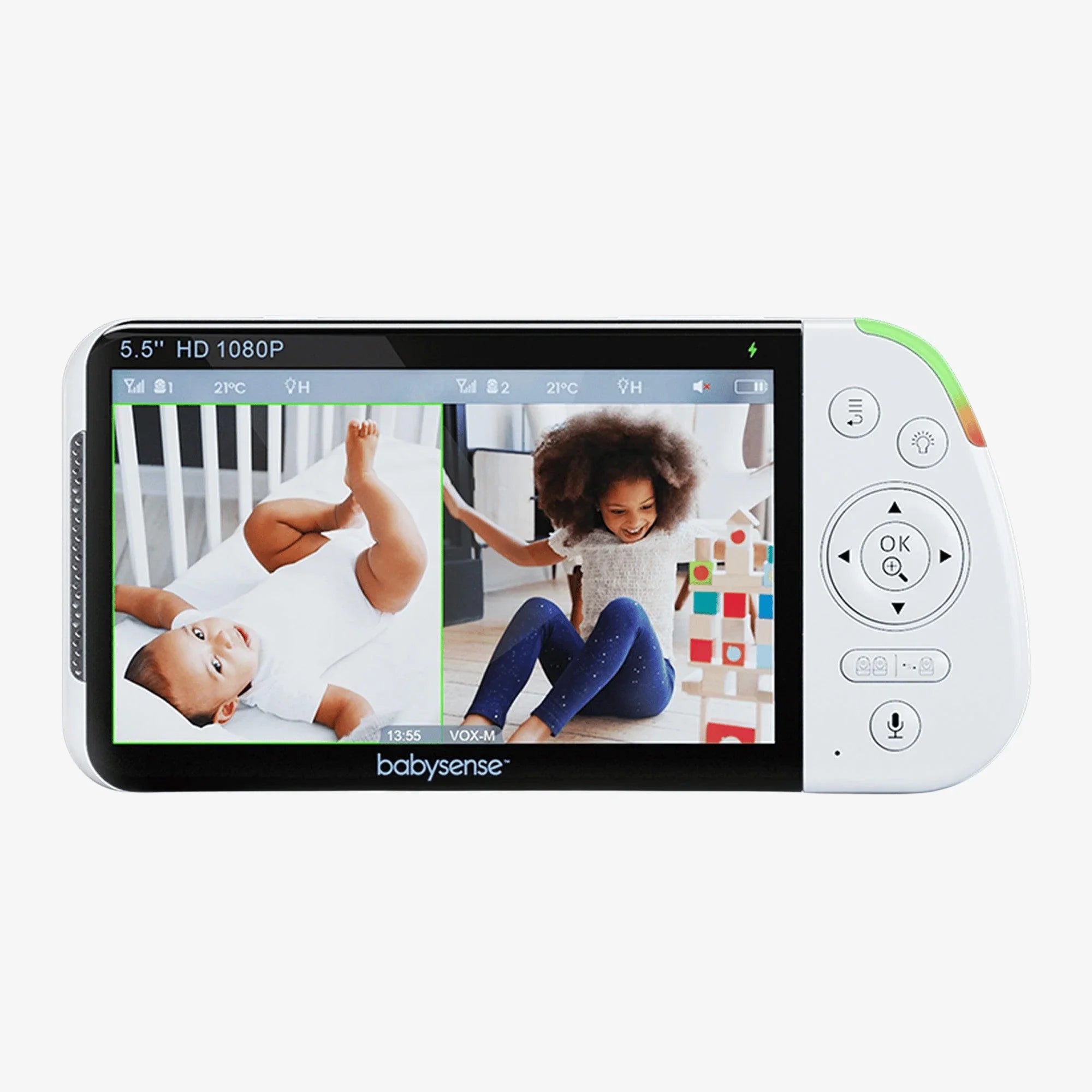
Babysense — parent display unit only; cameras are not pictured.
Shelf placement is the useful distinction
Babysense describes placing a camera on a shelf. That surface-placement option is useful to consider when choosing which part of the equipment you expect to move. See Babysense’s product guidance.
A button or automatic switching
Think about how often you expect to change the selected camera. The button route is the clearer fit if you prefer to choose it yourself; SCAN is the alternative when you prefer automatic switching. In either case, remember the single-camera audio focus when deciding whether split screen matches your routine.
USB-C still leaves an adapter to pack
Babysense identifies the parent-unit charging port as USB-C and specifies the supplied adapters. Plan to keep those adapters with the equipment when packing; the connector name alone does not settle which supply to use. See Babysense’s product guidance.
When another control layout makes more sense
Compare the Infant Optics DXR-8 PRO if dedicated brightness and volume buttons matter more to you than camera-selection options. Compare the HelloBaby HB6550 if a three-step volume adjustment is acceptable and the camera plug-in task is the more relevant chore. Return to the six-monitor comparison to compare the control choices together.
Babysense PRO Full HD 5.5-inch Split Screen Baby Monitor with 2 Cameras
Babysense
Selecting between two cameras by button or automatic SCAN mode.
Consider Babysense PRO for choosing between cameras by button or SCAN mode. Audio follows one selected camera at a time; the USB-C parent unit still calls for the supplied adapters.
Reasons to choose it
- Camera selection by button or SCAN mode.
- Manufacturer describes placing a camera on a shelf.
- USB-C parent-unit connection.
Tradeoffs to know
- Audio follows one selected camera at a time.
- Manufacturer specifies the supplied adapters.
Think twice if: You want audio from both cameras at the same time.
Published specifications
- Audio selection
- One active camera at a time
- Camera selection
- Button or SCAN mode
- Parent-unit connector
- USB-C; supplied adapters specified
Further reading
Ratings
Editorial score 8.4
Handling and placement9
The manufacturer describes placing a camera on a shelf.
Everyday controls9
A button changes the selected camera; SCAN provides automatic switching, while audio stays with one camera at a time.
Power and cables7
The parent-unit port is USB-C, but the manufacturer specifies its supplied adapters.
Sources & further reading
babysensemonitors.com product information
Keep reading
Something changed? Help us keep this useful.
Send a correction →